A Smart Photo Booth is more than a camera behind a ring light. It combines capture hardware, software, and a guest-friendly experience. As photographer Ansel Adams famously put it, “You don’t take a photograph, you make it.” Adams was not a photo booth industry specialist, but the idea fits: thoughtful lighting, clear prompts, and easy sharing shape the result as much as the camera does.
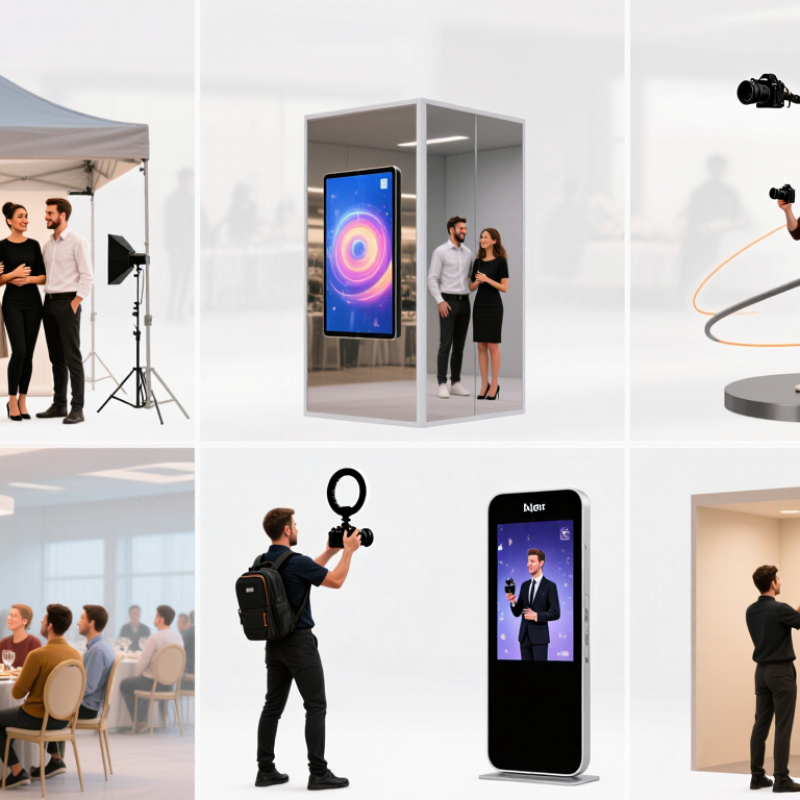
This guide compares the main booth types and what each does best. Open-air booths give groups room to pose beside a backdrop. Mirror booths add a full-length reflective screen and animated prompts. 360-degree platforms create moving clips, while roaming booths let staff capture guests across a venue. AI-enabled booths can apply themed backgrounds or visual effects; results depend on the software and setup. Compact kiosk booths suit smaller spaces and straightforward self-service.
The details matter. A crowded ballroom may need a bright screen and fast printing. A narrow venue may call for a compact footprint. Not every event needs every feature. Some options sound impressive but add little for guests. The sections ahead explain how these Smart Photo Booth formats differ, what equipment they typically use, and which practical trade-offs deserve a closer look.
A smart photo booth is more than a camera behind a touchscreen. It combines image capture, software, and a simple guest workflow. A visitor might choose a layout, tap the screen, and see a preview within seconds. The system can adjust exposure, apply a selected effect, and prepare a print or digital file. That matters. Good lighting and clear instructions still shape the result; software cannot rescue every dim, crowded frame.
Smart booths take several forms, including mirror-style stations, compact self-service kiosks, and setups that create short rotating videos. Their shared feature is a connected, responsive experience, not one particular shape. Some offer digital sharing or event-specific templates, while others focus on fast prints. A useful booth should make these options easy to understand, even when the room is noisy and guests are in a hurry. It should also explain what happens to images and avoid collecting more information than the experience needs. Connectivity can fail, and touchscreens can confuse people. A quick test with real guests often reveals problems that a polished demo misses. The word “smart” can be fuzzy; the practical test is whether the booth works reliably for its audience.
A smart photo booth combines photo or video capture with digital features such as touch controls, effects, and instant sharing.
The chart counts common digital capabilities associated with each booth type. These are illustrative category counts, not market statistics; actual features vary by setup.
AI-powered smart photo booths use cameras, software, and touchscreens to shape a photo session in real time. A guest might tap a screen, choose a portrait style, and see a suggested pose before the countdown begins. Some systems adjust exposure or soften a busy background automatically. Small details matter. A bright light on one side of the face can still confuse the result, so good booth lighting remains essential.
The most useful features are practical, not flashy. Face tracking can keep a person centered as they move, while background effects can place a group in a chosen scene. AI filters may create illustrated or polished looks, but guests should be able to preview and reject them. The software can misread glasses, textured hair, or unusual lighting. Test with different people, not just one ideal sample.
For events, a clear screen and quick workflow often matter more than dozens of effects. A booth should explain whether photos are stored, how guests can receive them, and what happens to files afterward. Data settings vary, so organizers should review them before the event. I would also keep a plain, unedited option. Some guests simply want a sharp picture with their friends, and that is a reasonable choice.
Mirror and interactive photo booths turn a simple snapshot into a guided experience. A full-length mirror can display prompts, animations, and a countdown beside the guest’s reflection. This format works well at weddings, hotel events, and retail activations where people want room to pose together. Guests tap the screen, choose a layout, and watch the camera preview before the shutter fires. That small preview helps reduce awkward crops.
Interactive booths can also offer touch-based filters, digital props, and simple on-screen games. A host might invite guests to choose a background or leave a short message with their photo. Clear instructions matter: a crowded screen can slow the line, especially when several people are waiting. Keep the main controls large and limit choices to a few useful options. Less can feel better.
The physical setup still shapes the result. A mirror booth needs enough space for guests to stand back, while even lighting helps faces look natural. Check reflections for visible cables, bright windows, and event clutter before opening. Test the camera height with both seated and standing guests. It is easy to overlook. Also consider accessibility: a screen placed too high can make interaction difficult for some visitors. These booths feel polished, but they are not automatically effortless; staff may still need to explain sharing settings or help when a touchscreen misses a tap.
360-degree smart photo booths create short, moving clips by rotating a camera around guests on a platform. The sweeping angle, slow-motion effects, and instant sharing can turn a quiet reception corner into a lively gathering point. They work especially well at product launches, weddings, and company celebrations, where guests have room to queue and pose. Still, a dramatic spin does not guarantee a memorable clip. Lighting, clear instructions, and a capable attendant matter just as much.
The format also fits the wider shift toward video. Wyzowl’s 2025 Video Marketing Statistics report found that 89% of surveyed businesses used video marketing, while 95% of marketers considered video important. That data does not prove every event needs a 360 booth, but it supports the appeal of easy-to-share moving images.
A practical setup includes a stable platform, even lighting, a visible entry point, and a screen showing guests how to pose. Keep the rotation smooth. Avoid overcrowding.
Tips: Place the booth away from narrow walkways, and test the lighting with different clothing colors before guests arrive. Offer a simple pose prompt, such as waving or turning toward the camera. Ask guests before sharing clips publicly, and provide a non-video photo option. Small details help; rushed queues can spoil the experience.
Open-air booths use a camera, screen, and backdrop without surrounding walls. Guests can pose in larger groups, while the setup fits beside a reception table or event entrance. That matters. The open layout also lets passersby watch, which can draw a crowd but may make shy guests hesitate. Uneven venue lighting can wash out faces, so test the camera and add soft, adjustable lights before doors open.
Enclosed booths create a more private, focused space. A curtain or compact wall structure helps block visual distractions and gives guests room for playful poses. But the footprint is larger, and a narrow entrance can slow a queue.
Grand View Research estimated the global photo booth market at USD 818.4 million in 2023, with a projected 9.7% compound annual growth rate through 2030. This market-wide estimate signals commercial momentum; it does not show that one booth format is preferred.
Smart features can support either style: touchscreens, digital galleries, and QR-code delivery reduce the need for printed copies. Staff should explain how images are shared and how long they are retained. Ask the venue about power outlets, internet reliability, and accessible entry before choosing a layout.
I would not assume a sleek interface fixes a cramped room. Sometimes, placement matters more.